WordPress to EmDash Migration Checklist: What We Check Before Every Move
The audit we run before moving a WordPress site to EmDash: addresses, plugins, custom fields, images, forms and what stays behind. Some items are on the list because our own move got them wrong.
On this page
- Should this site move at all?
- Every address Google knows
- Every plugin, and what it does for visitors
- Everything that isn't a title or a body
- Images, one by one
- Titles, descriptions and business details
- Forms and tracking
- The last check before the domain moves
- If you'd rather not run it yourself
- Frequently asked questions
This is the list we work through before a WordPress site moves to EmDash. It started with our own move in September 2026: 18 pages, 11 posts, 16 portfolio projects and 176 media files, on Breakdance with Rank Math and Advanced Custom Fields. Several items are here because that move got them wrong the first time.
You can run most of it yourself with your WordPress login, a spreadsheet and access to Search Console.
Should this site move at all?
Answer this first, because the rest of the list is wasted on a site that should stay put.
- Does it sell products online? Then it stays on WordPress. EmDash has nothing to match WooCommerce yet.
- Does it run memberships or courses? Find out exactly what those depend on before you plan anything.
- Is it a service business site, a blog or a portfolio? Those are the moves we'd make without hesitating.
Every address Google knows
- Export the URLs in your sitemap.
- Add the URLs from Search Console's Pages and Performance reports. Our sitemap left out an old post that Google had shown in search 1,316 times in three months, and we only caught it after the switch.
- Mark each address keep, redirect or retire. A retired page redirects to its closest replacement.
- Search your content for links to addresses that no longer exist. We found two in one post.
Our post on what happens to your Google rankings in a move covers why each of these matters.
Every plugin, and what it does for visitors
List each active plugin with one line on what a visitor would notice if it vanished. Then give it one of three labels: comes across as content, gets rebuilt, or gets dropped. Plugins don't transfer, so this list decides most of the work.
- Look for plugin output saved inside your content. Weeks after our move we were still finding dead Rank Math contents boxes in old posts.
- List who logs in. User accounts don't come across, so each person needs setting up again.
Everything that isn't a title or a body
A WordPress export file looks complete. EmDash's importer takes the title, content, excerpt and featured image from it, and every custom field is dropped.
- Custom fields: our 16 portfolio projects ran on a group of 11 Advanced Custom Fields, and we had to script those across ourselves. EmDash documents an exporter plugin that carries these too. We haven't relied on it yet, so check repeaters and nested fields yourself if you do.
- Page builder layouts: Breakdance, Elementor and the like store a design that doesn't carry over. Keeping your current look means rebuilding it, so budget for that.
- Dates: every record on our import got the same date, the moment of the import. Current EmDash versions keep the WordPress date, but open one archive page and look.
- Excerpts: if your theme generated them automatically, they aren't in the export. Our import had them empty.
Images, one by one
EmDash has a step that rewrites image addresses inside your content. On our site it missed 13 of 17 in-content images, because WordPress had written double slashes into some addresses and pointed others at resized copies. Newer versions catch more of these, but not all.
So open every page and confirm the images load. A blank image frame looks fine in the page's code. Check PDFs and other linked documents the same way.
Titles, descriptions and business details
- Copy each title and description from the live page. Our export carried 22 meta descriptions when the site served 23, and its titles were full of placeholder codes.
- Check your structured data before the move. Ours had no phone number, email or address in it, and nothing on the page showed that.
- Put your name, phone, email and hours in one business record so the footer, contact page and structured data all read the same copy.
Forms and tracking
- List every form and where its submissions go.
- Rebuild each one, send a real enquiry and confirm the email arrives. An EmDash site with no email provider connected accepts the submission and tells nobody.
- Keep Google Analytics and Search Console connected, so your reports run straight through the switch.
The last check before the domain moves
- Turn off the noindex setting used while the site was in testing.
- Test every address on your list: each one loads or redirects.
- Compare status, title, description and canonical tag between old and new, page by page.
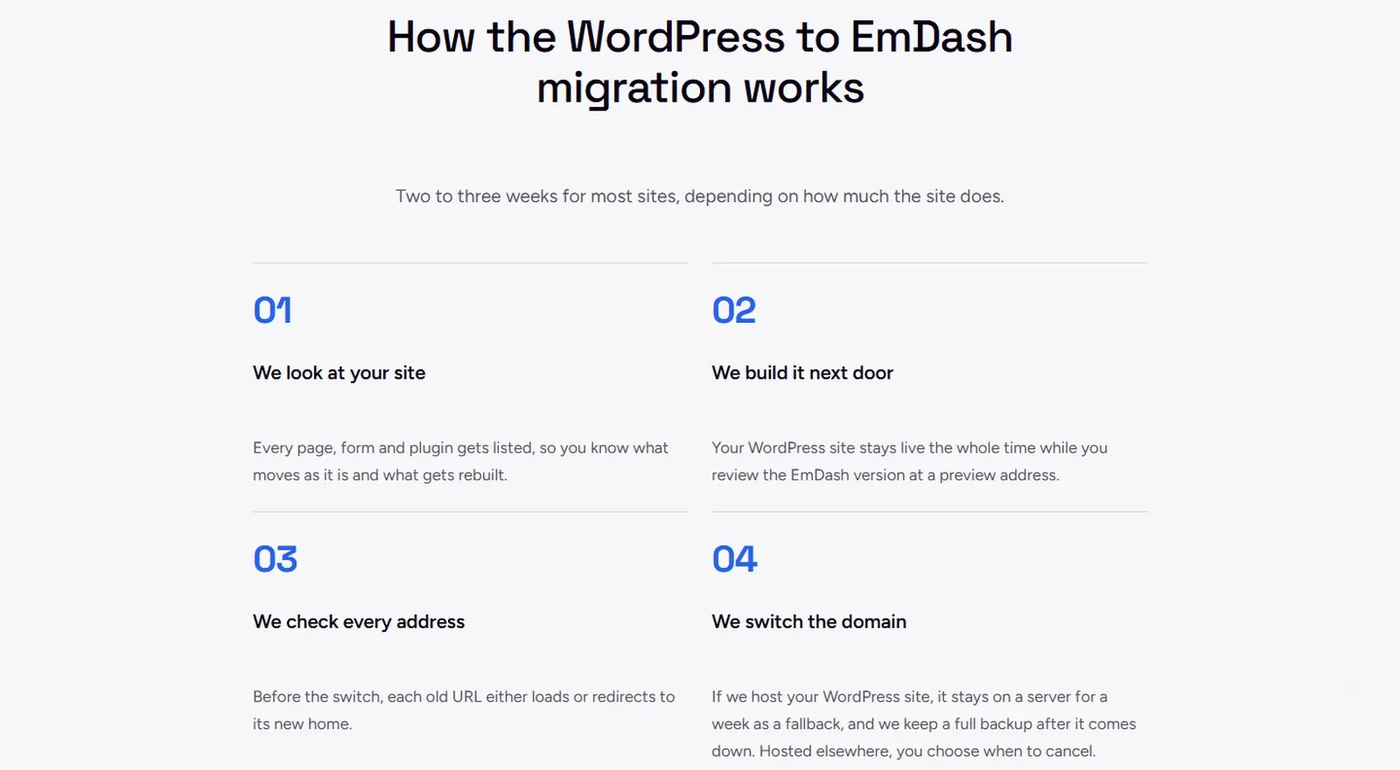
- Keep the WordPress site available as a fallback. We keep sites we host on a server for a week after the switch, plus a full backup.
If you'd rather not run it yourself
We run this whole list on every move, and most sites take two to three weeks. It's free on any of our monthly plans, and you get the list of what moves and what gets rebuilt at the first step, before you commit. See how it works on our Leave WordPress page.
Frequently asked questions
Can I migrate from WordPress to EmDash myself?
Yes. EmDash has a built-in WordPress importer, and it handles posts, taxonomies and media well. The checklist above is the part it leaves to you: custom fields, plugin features, forms, redirects and checking the result.
Can I keep my current design?
Yes, but it gets rebuilt rather than copied, because WordPress themes and page builders don't run on EmDash. On our plans you can keep the look at no charge, or have a redesign up to your plan's launch pages.
Does my site go down during the move?
It shouldn't. The new site gets built at a preview address while WordPress stays live, and visitors only reach EmDash once the domain switches.